Status messages
Learn how to use custom status messages to inform users about an Actor's progress.
Each Actor run has a status, represented by the status field. The following table describes the possible values:
| Status | Type | Description |
|---|---|---|
READY | initial | Started but not allocated to any worker yet |
RUNNING | transitional | Executing on a worker |
SUCCEEDED | terminal | Finished successfully |
FAILED | terminal | Run failed |
TIMING-OUT | transitional | Timing out now |
TIMED-OUT | terminal | Timed out |
ABORTING | transitional | Being aborted by user |
ABORTED | terminal | Aborted by user |
Status messages
In addition to the status, each Actor run has a status message (the statusMessage field). This message informs users about the Actor's current activity, enhancing the user experience.
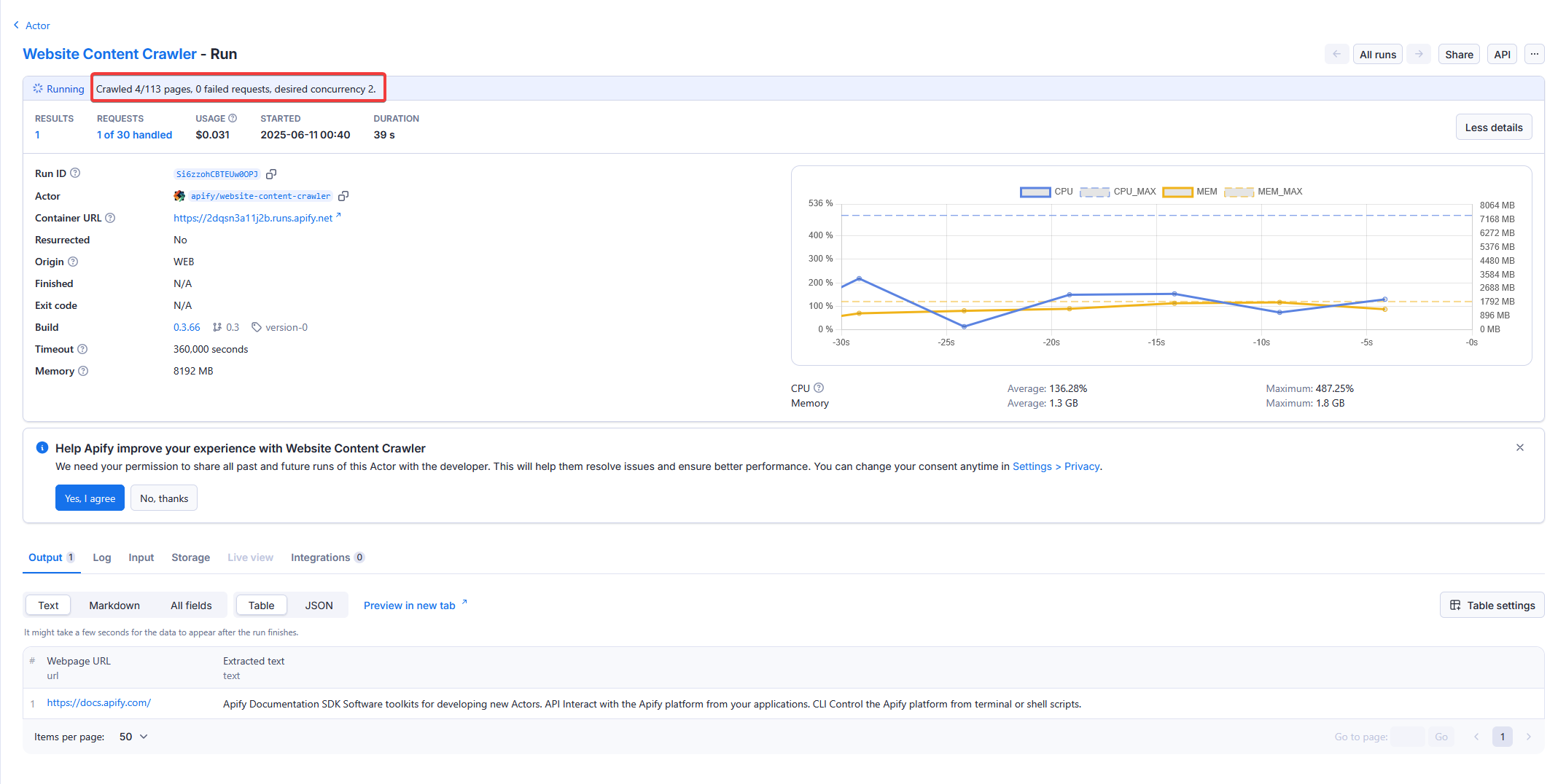
Exit status message
When an Actor exits, the status message is set to either:
- A default text (e.g., Actor finished with exit code 1)
- A custom message (see the exit method for details)
Update status message
To keep users informed during the Actor's execution, update the status message periodically. Use the following code to set a status message:
- JavaScript
- Python
import { Actor } from 'apify';

await Actor.init();

// ...
await Actor.setStatusMessage('Crawled 45 of 100 pages');

await Actor.exit();
You can call the setStatusMessage function as often as needed. The SDK only invokes the API if the status changes, simplifying usage.
from apify import Actor

async def main():
    async with Actor:
        await Actor.set_status_message('Crawled 45 of 100 pages')
        # INFO  [Status message]: Crawled 45 of 100 pages
Communicating limitations
If your Actor has specific limitations for users on the Apify free plan (e.g., restricted features, limited results), it is crucial to communicate these clearly to avoid confusion.
- Status messages: Use
setStatusMessageor the exit message to explain why a run finished early or failed (e.g., "Daily limit for free plan reached. Upgrade to continue."). - Avoid false errors: Do not return generic system errors or fail the run in a way that looks like a platform issue. This frustrates users and makes troubleshooting difficult.
- Documentation: Clearly state any limitations in your Actor's
READMEand input schema descriptions so users know what to expect before running the Actor.